MCP server
Connect your AI applications (models, agents…) with OVHcloud services using natural language thanks to the OVHcloud MCP server.
Support covers products in every OVHcloud universe and keeps growing. Follow the Cloud changelog and the Hosting, Telco and Collaboration changelog on GitHub for the latest updates.
- Status
- GA
- Category
- Platform & DevTools
- Access
- Open
- Release date
What is an MCP Server?
MCP stands for Model Context Protocol. It is an open standard, introduced in 2024.
An MCP server is a service that provides structured context and tools to AI models in a standardized way. The goal of a MCP server is to act as a bridge between AI applications (using models or agents) and external data, tools, or APIs — letting the AI applications securely and efficiently call external tools to help you.
It follows a standardized protocol so that any compatible AI applications can interact with it consistently.
How to use the OVHcloud MCP?
The OVHcloud MCP server allows you to manage your OVHcloud services and infrastructure & manage your OVHcloud account.
Our MCP server is following the Model Context Protocol specification, and is compatible with all AI clients that support Remote MCP & OAuth2 authentication.
You can integrate our OVHcloud MCP server inside multiple clients:
- Chat agents (such as Goose)
- Integrated chat agent inside IDE (such as Visual Studio Code)
- Coding agents (such as OVHcloud shell agent SHAI, or opencode)
- Directly inside your application through frameworks like LangChain, LangChain4J, …
Using OVHcloud SHAI
Leveraging OVHcloud AI Endpoints — version 0.1.5 or above to allow agent usage.
OVHcloud SHAI is a terminal integrated agent, that can leverage OVHcloud AI Endpoints models and MCPs.
Directly from your terminal, you can use opensource models hosted on OVHcloud datacenters, and let them think and take actions on your OVHcloud infrastructure (with your consent).
- Install shai using the doc here: https://github.com/ovh/shai#install
- Create a new agent (https://github.com/ovh/shai#custom-agent-with-mcp), and configure it by creating a file:
$HOME/.config/shai/agents/ovh.config - Copy the content of https://github.com/ovh/shai/blob/main/.ovh.config inside this file
Then if you execute the command shai agent list you should obtain this output: Available agents: ovh OVH agent with OVH MCP server for cloud management and API calls
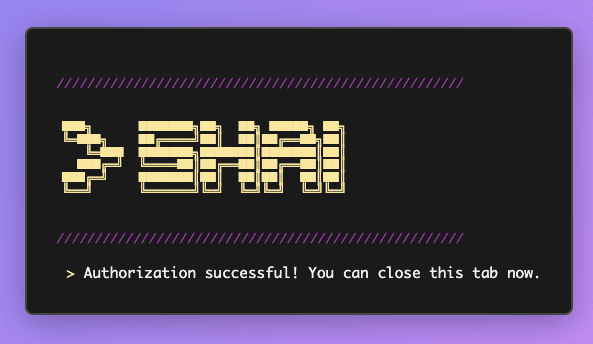
When you launch shai agent ovh, your browser should open on OVHcloud login page. After a successful login, you will obtain this screen. You can go back to your terminal and enjoy!
Using Goose
Goose (https://block.github.io/goose/) is an open-source AI agent that can use models from multiple providers (OVHcloud AI Endpoints, Anthropic, OpenAI, …) and integrates MCP Tools, directly inside a local client (Desktop application, CLI, local Web UI).
It is extensible, supports AGENTS.md, skills and recipes.
- Install Goose following: https://block.github.io/goose/docs/getting-started/installation.
- Click on the following links to add the extensions:
- OVHcloud EU: https://tinyurl.com/ms6dpehx
- OVHcloud CA: https://tinyurl.com/6kb857vc
- OVHcloud US: https://tinyurl.com/4ptrdmpy
- Or you can configure the MCP manually:
- Click on Extensions, then Add custom extension
- Choose an extension name (example: OVHcloud), and select “Type: Streamable HTTP”
- Then, fill the Endpoint value with one of those values:
- OVHcloud EU customers: https://mcp.eu.ovhcloud.com/mcp
- OVHcloud CA customers: https://mcp.ca.ovhcloud.com/mcp
- OVHcloud US customers: https://mcp.us.ovhcloud.com/mcp

Using Opencode
Opencode (https://opencode.ai/) is a coding agent that is available directly in your terminal.
- Install Opencode following: https://opencode.ai/
- Open the configuration file such as indicated here: https://opencode.ai/docs/mcp-servers/#remote
- Then, fill the url key with one of those values:
- OVHcloud EU customers: https://mcp.eu.ovhcloud.com/mcp
- OVHcloud CA customers: https://mcp.ca.ovhcloud.com/mcp
- OVHcloud US customers: https://mcp.us.ovhcloud.com/mcp
Headers configuration should be empty, no header should be defined.

Documentation and help
The OVHcloud MCP server is generally available since May 1st, 2026.
Documentation
- OVHcloud MCP server documentation: endpoints, authentication and client set-up.
- Cloud changelog and Hosting, Telco and Collaboration changelog: which products are supported and what's new.
Share your feedback
Join the conversation on the OVHcloud Discord.
Shape what ships next.
Join the User Experience Program to test upcoming products, get early alpha and beta access, and put your fingerprints on the roadmap.