SHAI, AI powered coding agent
SHAI is a cutting-edge, terminal-based AI assistant designed to simplify your day-to-day development tasks. Whether you're building a website, editing files, running shell commands, or automating complex workflows, Shai has got you covered — all from the comfort of your terminal.
- Status
- GA
- Category
- AI & Data
- Access
- Early access
- Release date
Supercharge your terminal with SHAI
As a open-source coding agent and pair programming buddy that lives in the terminal, SHAI is designed to help you execute commands, and support multi-step workflows, talking to LLMs, reading and writing code, with dev tasks automation.
Why SHAI?
Headless mode support
Seamlessly integrate Shai into your automated pipelines, CI/CD processes, or remote servers without any graphical interface.
Developer-centric design
Built for terminal lovers who want AI assistance without leaving their favorite environment.
Multiple AI models
Unlike many assistants locked to a single AI, Shai supports a variety of AI models — giving you flexibility and power tailored to your needs.
Open-source & extensible
Customize Shai or contribute new features to fit your unique development style.
How does it work?
Install the latest release and config a provider to run SHAI
Install the latest release with the following command:
curl -fsSL https://raw.githubusercontent.com/ovh/shai/main/install.sh | sh
The SHAI binary will be installed in $HOME/.local/bin
By default SHAI uses OVHcloud as an anonymous user meaning you will be rate limited! If you want to sign in with your account or select another provider, run:
shai auth
Config your provider and your API key, and you can now run SHAI!
Run headless or use as a shell assistant
Run SHAI without any user interface through a headless mode. You simply need to prompt into SHAI, it will automatically stream even in the stderr. You can also chain calls!
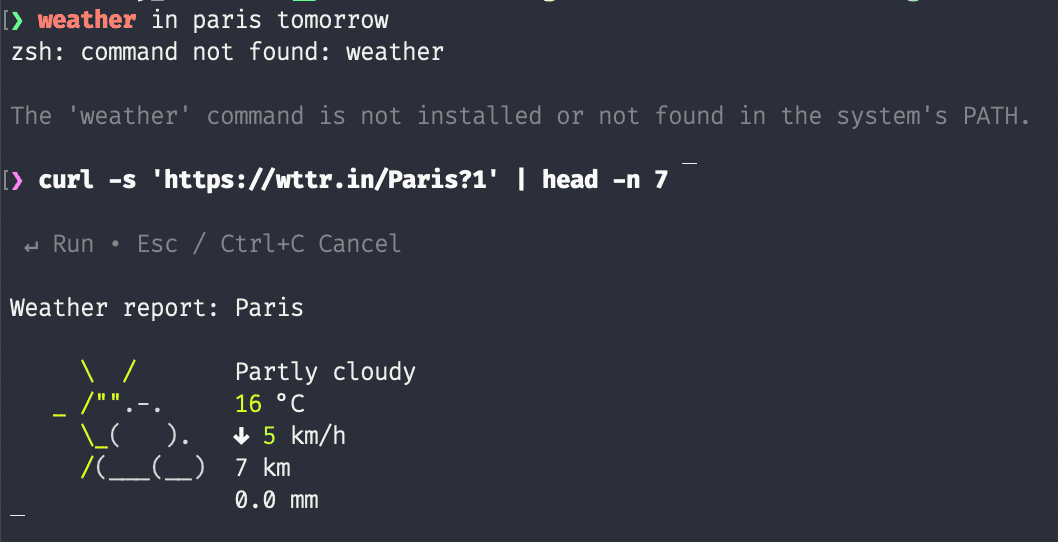
SHAI can also act as a shell assistant in case a command failed and will propose you a fix. This works by injecting command hook while monitoring your terminal output. Your last terminal output along with the last command and error code will be sent for analysis to the llm provider.

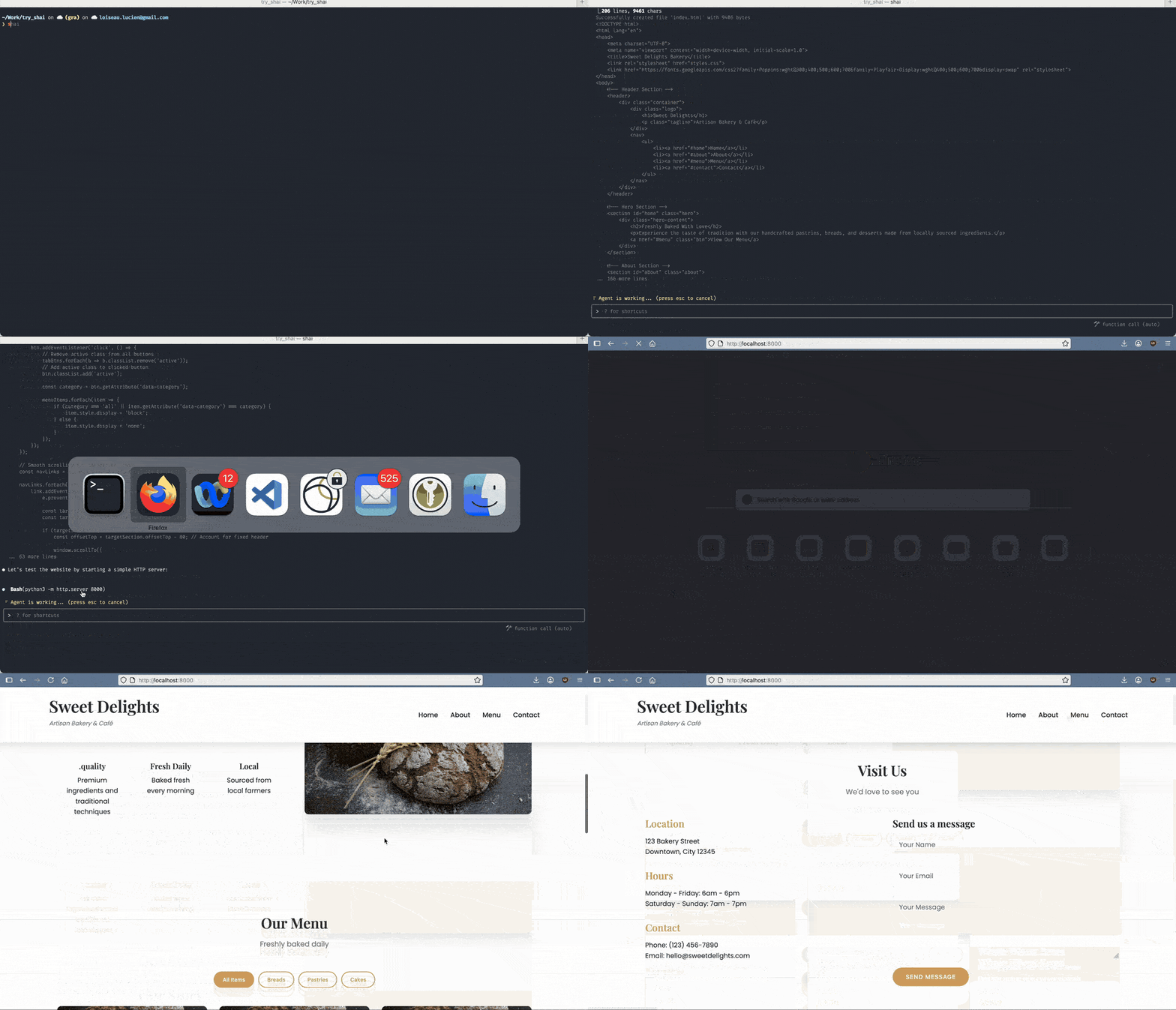
Create your own website
Ask SHAI to help you build a website: it writes the code and edits the files for you, without leaving your terminal.
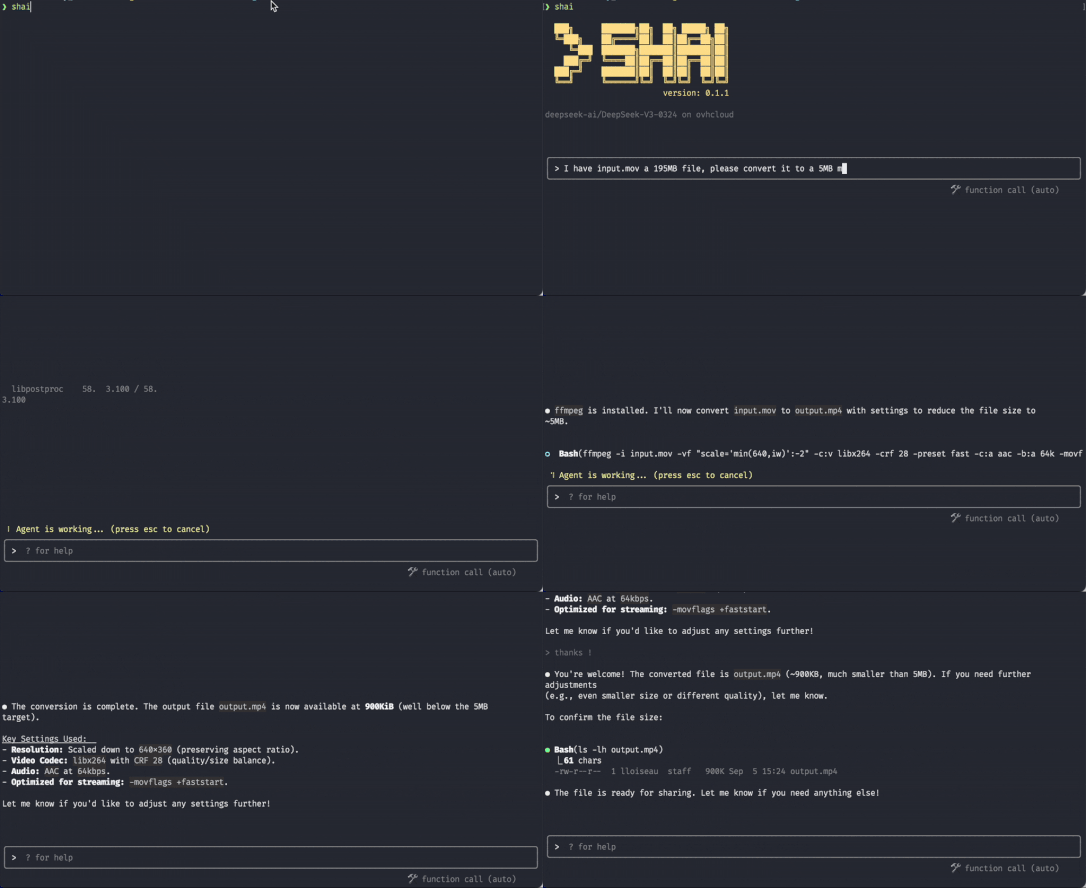
Convert files
Point SHAI at your files and tell it what you need: it reads them, converts them and writes the result back.
Fix a failed command
When a command fails, SHAI acts as a shell assistant: it reads your last command, its output and its error code, and proposes a fix you run with a single key.
Ready to get started?
You could do so much more… Join the community, start using it and don't hesitate to contribute on GitHub!
Shape what ships next.
Join the User Experience Program to test upcoming products, get early alpha and beta access, and put your fingerprints on the roadmap.